Roblox can look confusing when you first open it. There are millions of experiences, customizable avatars, virtual items, social features, creator tools, and an entire economy built around Robux.
The good news is that you do not need to understand everything on your first day. This Roblox Beginner’s Guide: How to Play, Create, and Stay Safe covers the basics you actually need.
You will learn how to set up an account, find experiences worth playing, understand Robux, create a simple project with Roblox Studio, and protect yourself while interacting with other users.
Roblox is also more than a traditional game. It is a platform where creators build interactive 3D experiences that other people can join across supported computers, mobile devices, consoles, and VR hardware.
Roblox even provides its own free development application, Roblox Studio, for people who want to move from simply playing to creating.
If you are completely new, start simple. Play a few experiences, learn how the platform works, and explore the creative side when you feel ready.
What Is Roblox and How Does It Work?
Roblox is an online platform built around user-created experiences. Instead of purchasing one main game with a fixed storyline, you create an account and then choose from a huge collection of experiences made by Roblox creators.
The variety is one of the platform’s biggest attractions. You can find obstacle courses, role-playing worlds, racing games, survival challenges, simulations, shooters, social spaces, and many other genres.
Each experience can have different controls and rules, so do not assume everything works the same way. One game might focus on collecting pets, while another could require teamwork, parkour, combat, or building.
Roblox’s own beginner resources actually encourage new users to play several experiences before creating anything. Understanding how other projects work can give you ideas about menus, controls, objectives, and level design.
How to Start Playing Roblox
Creating an account is the first step. After signing up, you can customize your avatar and start browsing experiences from the Roblox app or website.
On a computer, Roblox currently supports 64-bit Windows 10 and Windows 11, while the Mac application supports macOS 10.13 or later. Mobile support includes compatible iOS, iPadOS, Android, and Amazon Fire devices.
Finding Your First Experience
For your first few sessions, search for something with a simple objective. Obstacle courses – often called obbies – are useful for learning movement, jumping, camera controls, and checkpoints.
You can also browse recommended experiences or search by title and keyword. On mobile, Roblox provides browsing sections and a search function that lets users open an experience page before joining.
Do not worry about finding the “perfect” game immediately. Your begining sessions are mainly about learning the interface and discovering which Roblox genres you enjoy.
Understanding Avatars, Robux, and Virtual Items
Your avatar represents you across much of Roblox. You can customize its appearance using clothing, accessories, hairstyles, animations, and other virtual items.
Some customization options are free, while others require Robux, Roblox’s virtual currency. Robux can also be used for certain in-experience purchases, depending on what a creator offers.
New players should avoid assuming that spending Robux is required to have fun. Many experiences can be played without buying premium items, and it is usually worth playing for a while before deciding whether an optional purchase has real value to you.
Be especially cautious about websites, messages, videos, or strangers promising “free Robux.”
Roblox warns users not to provide passwords, security codes, cookies, backup codes, or personal information in exchange for prizes or currency. Official Roblox employees will not ask you for these login details.
How to Create Your First Roblox Experience
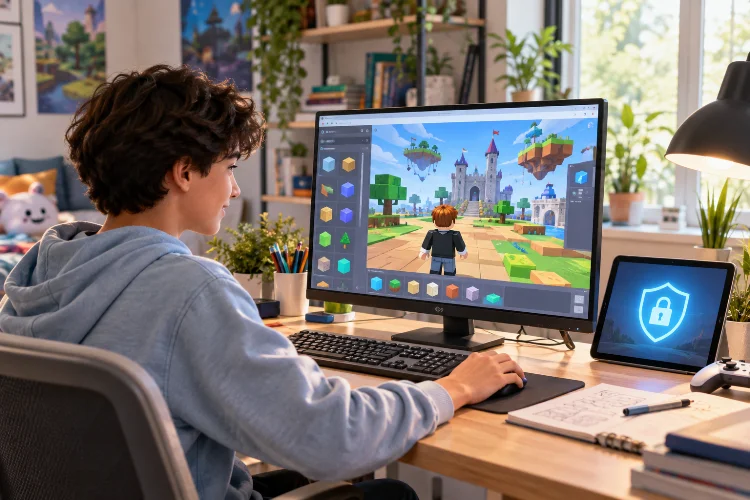
Playing is only one side of Roblox. If you have an idea for your own game or interactive world, you can build it using Roblox Studio.
Studio is free and available for Windows and Mac. It includes 3D building tools, scripting features, testing tools, device emulation, and publishing options in one development environment.
You also do not need to build everything from an empty world.
Start With a Template
Roblox Studio provides templates that can give beginners a working foundation. Roblox’s documentation, for example, includes templates for platforming and racing projects, while its beginner lessons use a Classic Obby project to teach basic development concepts.
This is much easier than trying to make a huge multiplayer game on day one.
Open a template, move some objects, adjust the environment, and test what happens. Once you understand how parts, properties, terrain, lighting, and scripts interact, you can experiment with more complicated systems.
Learn Basic Roblox Scripting Gradually
Building environments does not necessarily require advanced programming, but scripting becomes important when you want objects and gameplay systems to actually do something.
Roblox Studio includes scripting tools with features such as syntax highlighting, code completion, and inline documentation.
A beginner should start with tiny projects. Instead of attempting a massive RPG, try making a platform disappear when touched, creating a basic checkpoint, opening a door, or changing a player’s movement.
Small experiments make debugging easier and teach you how different systems connect. You can then combine those small mechanics into larger projects later.
It is also worth testing frequently. Roblox recommends regularly playtesting projects and publishing changes often so important work is saved to the platform.
Publishing Your First Roblox Project
When your experience works, you can publish it through Studio.
A newly created Roblox experience is private by default, meaning ordinary players cannot automatically access it. This gives you room to build and test before releasing anything publicly.
Publishing also connects the project to your Roblox account and stores its data in the cloud. A game can contain a single place or multiple places representing different maps or gameplay areas.
Before making a project public, play it several times. Check whether players know where to go, whether important objects work correctly, and whether the game remains playable on the devices you plan to support.
Do not worry if your first project looks simple. Almost everyone learns development by making smaller things first, and those early experiments are often more useful than trying to create something enormous imediately.
How to Keep Your Roblox Account Safe
Account security is one area where beginners should not experiment.
Use a unique password that you do not reuse across different websites. More importantly, enable 2-Step Verification, which adds another security layer if somebody manages to obtain your password.
Roblox currently supports multiple verification methods, including authenticator-based options and other security methods depending on the account configuration.
Roblox also advises users never to share passwords, browser cookies, 2SV codes, backup codes, or sensitive account information. Be suspicious of anyone claiming they need your credentials to give you Robux, special powers, cheats, or exclusive items.
Avoid downloading random programs or suspicious browser extensions related to Roblox as well. A fake “tool” or cheat can actually be malware designed to steal account credentials.
If something seems too good to be true, it probably deserves extra checking before you click it.
Use Roblox’s Privacy, Blocking, and Reporting Tools
Roblox includes tools for managing who can interact with you and what happens when another player behaves badly.
Users can block or report community members and inappropriate content. Privacy tools can also limit certain interactions and control information such as online status.
If somebody is harassing you, asking for personal information, attempting a scam, or making you uncomfortable, you do not need to argue with them. Block the account and use Roblox’s reporting tools when appropriate.
Never share information such as your real-world address, passwords, private account information, or security codes with another player. Friendships inside a game should remain seperately managed from sensitive personal information.
Roblox Safety for Younger Players and Parents
Roblox has expanded its age-based safety approach in 2026.
The platform currently describes Roblox Kids accounts for ages 5–8 and Roblox Select accounts for ages 9-15. These account types use age-based content access and communication controls, with additional parental visibility and management features.
For example, Roblox says chat is disabled by default for Kids accounts, although parents can adjust certain experience communication settings. Select accounts provide broader access while still using age-appropriate communication and content protections.
Parents can link their own parental account to a child’s account to manage areas such as accessible content, connections, and daily play time.
Technical controls help, but conversations about online behavior matter too. Younger players should understand why sharing personal details, accepting strange offers, or moving conversations to unknown websites can create risks.
Beginner Mistakes You Should Avoid
One common mistake is spending Robux before understanding what you are buying. Play an experience first and decide whether an upgrade is actually worthwhile.
Another is trusting players who promise cheats, free currency, rare items, or secret account upgrades. Scams often work by creating urgency or offering something unusually valuable in exchange for information.
New creators can make a different mistake: trying to build too much.
Your first experience does not need an enormous open world, complicated economy, dozens of weapons, pets, vehicles, and multiplayer systems. A polished five-minute obby can teach you more about development than an unfinished project containing twenty broken features.
Start small, test frequently, and add complexity gradualy.
A good Roblox experience starts with understanding the basics. Learn how to browse and play different experiences, customize your avatar carefully, and treat Robux as optional spending rather than something you need to enjoy the platform.
When you are ready to create, download Roblox Studio and begin with a simple template. Experiment with building, learn basic scripting one mechanic at a time, playtest frequently, and only publish publicly when your project is ready.
Most importantly, protect your account. Use strong login security, enable 2-Step Verification, never share sensitive credentials, and use Roblox’s blocking, reporting, privacy, and parental tools when necessary.
Now that you understand how to play, create, and stay safer, open Roblox, try a few different experiences, and consider building a small project of your own.